

Google Workspace Gets Major AI Upgrade: Studio Agents Launch
Google just gave its productivity suite a major automation upgrade. The new Workspace Studio is a built-in hub where anyone can design, run, and share AI agents that automate everyday work across Gmail, Docs, Sheets, Drive, Meet, and Chat—no code required.
Google’s official announcement reveals Google Workspace Studio transforms the productivity suite into an AI-orchestrated work platform. Gemini 3-powered agents handle busywork so teams can focus on actual decisions.
The official blog confirms Studio is now generally available. This marks a major shift from static documents to an AI agent platform.
What Google Workspace Studio Is
Google Workspace Studio is a new native environment where users can build and manage AI agents. These agents automate tasks and multi-step workflows using Gemini 3.
The feature was teased at I/O 2024 as “Workspace Flows” and tested with enterprises through 2025. Now it’s generally available for a wide range of tiers.
Google describes the platform as “the place to design, manage, and share AI agents.” Custom agent creation is now in the hands of every employee, not just IT or developers.
The productivity suite is no longer just documents and email. It’s a platform where AI agents live alongside your files and conversations.
Automate With AI Agents
SiliconANGLE reports that agents can reason and adapt instead of following rigid rules.
Typical Use Cases
Agents handle intelligent email triage and prioritization. Support issue routing based on sentiment and urgency happens automatically through the platform.
Smart approvals and escalation flows run through agents. Automated content generation and summarization reduce manual work.
Basic sentiment analysis on feedback or tickets runs natively without third-party tools.
Build Agents in Minutes
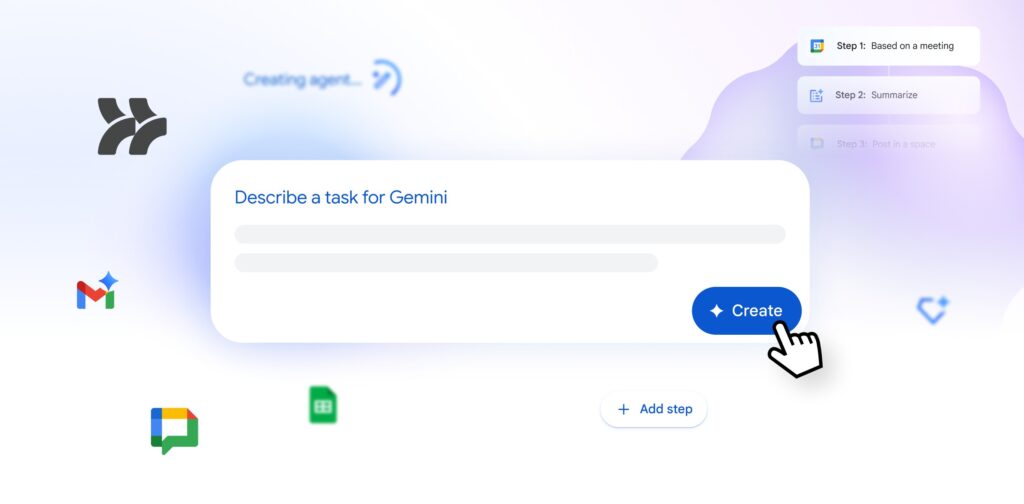
The system uses Gemini 3 so you can describe what you want in natural language. Tell it to “summarize all client emails daily and post a digest in Chat” and the system scaffolds the workflow.
No special syntax is required. Google emphasizes that non-technical employees should be able to build useful agents quickly.
9to5Google notes this democratizes automation beyond IT departments.
Connect Across Apps
Agents plug directly into Gmail, Docs, Sheets, Slides, Drive, Calendar, Meet, and Chat. This native integration makes it a unified automation platform.
Third-Party Integrations
Pre-built steps for third-party tools like Salesforce, Asana, Jira, and Mailchimp let the system coordinate work across your wider stack.
Advanced users can extend agents with Apps Script. Google’s Agent Developer Kit (ADK) or Vertex AI connections bring internal systems and models into the platform.
UC Today explains this combination lets the suite act as an orchestration layer for both Google and non-Google Workspace Studio apps.
Early Results From Enterprises
Futurum Group analysis shares early data on how the platform is performing inside organizations.
Early alpha customers executed over 20 million agent-run tasks in 30 days. These tasks spanned simple reminders to complex approval workflows.
Customers like Kärcher report up to 90% reduction in drafting time for certain documents. Agents generate first drafts that humans then refine.
The system directly tackles productivity drains. Email overload, chasing updates, and manual compilation of summaries disappear with automation.
Analysts frame Google Workspace Studio as a turning point where “employee-built AI automation” becomes mainstream—much like spreadsheets once democratized data analysis.
Where Studio Fits
The launch is part of a broader shift toward AI-native capabilities.
AI-Assisted Canvases
Docs, Sheets, and Slides have evolved into AI-assisted canvases. Gemini suggests text, formulas, visuals, and structure throughout applications.
Automation Layer
Studio sits on top as the automation layer. The system continuously watches for triggers like emails, form submissions, changes in Sheets, and chat mentions.
LinkedIn analysis explains Google positions the tool as a complement to heavier automation platforms.
Google Workspace Studio is ideal for simple to medium-complexity workflows. Enterprise-grade orchestration may still rely on tools like Zenphi or other iPaaS products.
For most organizations, the big story is that the productivity suite now comes with a built-in way to turn repetitive processes into AI-powered agents. No extra product, no extra code—just Workspace Studio living where people already work.
What This Means for Users
Google Workspace Studio changes how employees interact with productivity software. Instead of manually copying data between apps, agents handle the busywork.
Instead of checking email constantly for urgent messages, agents triage and prioritize automatically. Instead of spending hours on status reports, the system generates them from existing data.
The no-code approach means every employee can build automation. This democratizes AI agents beyond IT departments into every corner of the organization.
For businesses, Studio reduces the need for expensive third-party automation tools. The integration is native rather than requiring external platforms.
For Google, this positions the company against Microsoft Copilot and other AI productivity tools. The suite becomes a platform for AI agents, not just document storage.
Getting Started With Studio
The platform is now rolling out to eligible tiers. Users can access it through a new tab in their admin console or directly from within apps.
Building your first agent takes minutes. Describe the workflow in natural language, connect the apps you need, and let Gemini 3 scaffold the automation.
Google provides templates for common use cases like email triage, approval workflows, and content summarization. These templates give teams a starting point for building their own agents.
The Bottom Line
Google gave its productivity suite a major automation upgrade with Studio. The built-in hub lets anyone design, run, and share AI agents that automate work across Gmail, Docs, Sheets, Drive, Meet, and Chat.
Studio uses Gemini 3 to power AI agents that reason and adapt. No code is required to build agents using natural language descriptions.
Early customers executed over 20 million agent-run tasks in 30 days. Kärcher reports 90% reduction in drafting time with agents.
The platform connects natively to Gmail, Docs, Sheets, Slides, Drive, Calendar, Meet, and Chat. Pre-built steps for Salesforce, Asana, Jira, and Mailchimp extend capabilities beyond Google apps.
Studio is generally available across multiple tiers. The feature democratizes AI automation, putting agent creation in every employee’s hands.
With Studio, the productivity suite evolves from static documents into an AI-orchestrated work platform where Gemini 3-powered agents handle busywork so teams can focus on decisions.
Author: M. Huzaifa Rizwan