
ChatGPT Image 1.5: 7 Best Features for Creators
OpenAI hasn’t literally shipped a model called “ChatGPT Image 5.1.” However, the company has done something more important. It paired the new GPT-5.1 multimodal model with its latest GPT-Image generators. Now ChatGPT Image can both understand and create images at a much higher level than before.
OpenAI’s official announcement confirms that GPT-5.1 is designed to be more conversational, better at reasoning, and fully multimodal. The system takes text, images, and audio as input. It returns high-quality analysis, explanations, and code.
ChatGPT Image now combines two powerful systems. GPT-5.1 handles image understanding and reasoning. GPT-Image-1.5 handles image generation and editing. Together, they create what users experience as ChatGPT Image 1.5.

What GPT-5.1 Actually Is
GPT-5.1 is OpenAI’s upgraded flagship model for ChatGPT. The system is built to handle longer context and more complex tasks than GPT-5.0. This includes multi-step reasoning over large documents and mixed media.
On the image side, GPT-5.1’s main role is understanding, not generation. Skywork AI explains that ChatGPT Image can read charts, UI screenshots, diagrams, photos, and design mockups. The system answers questions, debugs issues, and proposes improvements.
OpenAI describes GPT-5.1 as “a smarter, more conversational ChatGPT.” The model has better alignment and fewer hallucinations, especially when working across mixed media. This makes ChatGPT Image more reliable for professional work.
Multimodal Capabilities
ChatGPT Image takes text, images, and audio as input. The system processes all three formats simultaneously. This lets users combine a PDF, chart screenshot, and voice notes in one prompt.
GPT-5.1 handles complex reasoning across these different formats. ChatGPT Image can compare documents, analyze visuals, and synthesize information from multiple sources at once.
How ChatGPT Image Works Today
Inside ChatGPT, there are now two distinct but connected layers working together for image tasks.
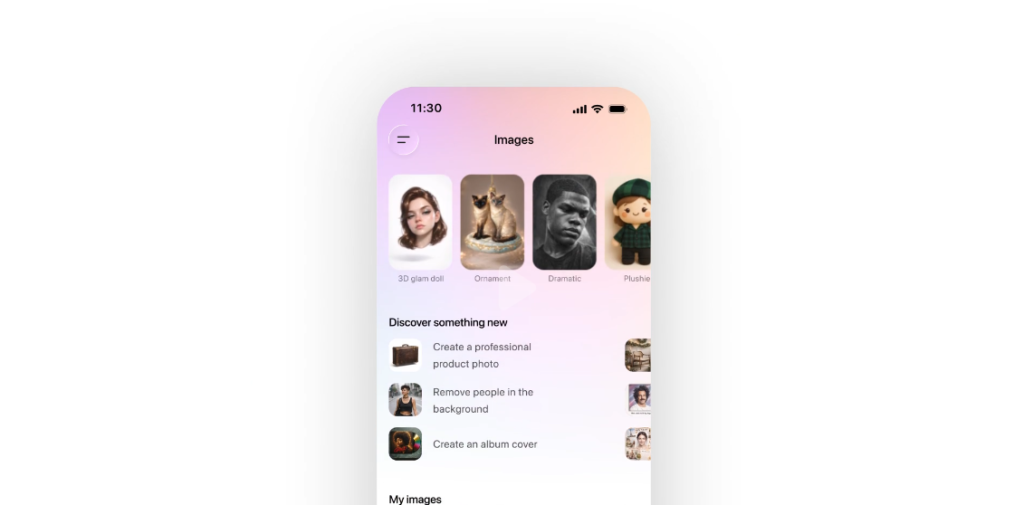
GPT-5.1: The Multimodal Brain
ChatGPT Image uses GPT-5.1 to read and reason about images. The system analyzes plots, dashboards, code screenshots, whiteboard photos, and design drafts. Users can ask ChatGPT Image questions like “What’s wrong with this chart?” or “How would you simplify this slide layout?”
GPT-Image-1.5: The Generator
ChatGPT Image uses dedicated image generation models exposed via the API. The Verge reports that GPT-Image-1.5 is OpenAI’s flagship image generator.
The OpenAI API changelog records the launch of gpt-image-1 as a new standard. The system offers faster, higher-quality generations and better instruction following than previous DALL-E-based systems.
ChatGPT Image creates and edits images from prompts. Users can generate logos, illustrations, marketing visuals, UI concepts, and more. Most users experience all of this bundled under “ChatGPT Image.”
What’s New in Image Understanding
According to OpenAI’s model release notes, the biggest step forward in ChatGPT Image is robust multimodal reasoning.
Charts and Dashboards
ChatGPT Image is better at reading complex graphs and multi-panel dashboards. The system spots trends, inconsistencies, and outliers. It then summarizes findings in plain language.
Users can upload revenue dashboards and ask ChatGPT Image to explain what’s happening. The system highlights risks and opportunities automatically.
UI and Layout Critique
ChatGPT Image can look at a mobile app screen or slide and give concrete suggestions. The system evaluates spacing, hierarchy, typography, and accessibility. Designers use ChatGPT Image to get instant feedback on mockups.
Technical Diagrams and Whiteboards
ChatGPT Image does a better job reconstructing logic in system diagrams and workflows. Users photograph whiteboards and ChatGPT Image turns them into code, documentation, or project plans.
These upgrades make ChatGPT Image far more useful for knowledge work. AI technology now handles analytics, design reviews, documentation, and architecture diagrams.
What’s New in Image Generation
The Verge’s coverage of OpenAI’s flagship image generator highlights several improvements for GPT-Image-1.5.
Better Realism and Detail
ChatGPT Image now produces sharper images with more believable lighting and textures. The system has fewer distortions in hands, faces, clothing, and hair. This makes ChatGPT Image suitable for professional marketing materials.
Improved Editing Capabilities
ChatGPT Image offers stronger “edit this region” behavior. The system handles inpainting, outpainting, and object replacement. Edits respect the rest of the image including perspective, shadows, and style.
Users can ask ChatGPT Image to change specific elements while keeping the overall composition intact. This makes iterative design work much faster.
Closer Adherence to Prompts
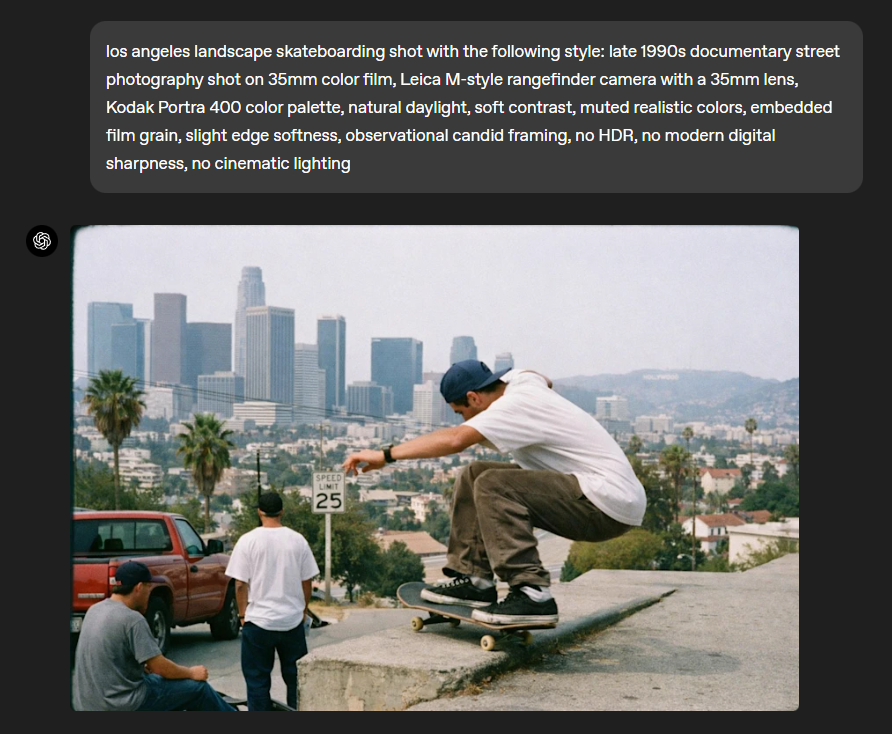
ChatGPT Image more reliably handles counts like “three people” or “five products.” The system processes text in images including labels and signage. Stylistic instructions like “flat illustration” or “cinematic frame” work more consistently.
The OpenAI API changelog backs this up with notes on instruction following and speed improvements. Combined with GPT-5.1’s understanding, ChatGPT Image now feels like a visual co-pilot rather than a one-shot tool.
Real Workflows with ChatGPT Image
The combined stack of GPT-5.1 and GPT-Image-1.5 unlocks several professional workflows.
Analytics and Reporting
Users upload revenue dashboard screenshots with notes. ChatGPT Image explains what’s happening, highlights risks, and generates executive summaries with charts. The system handles the entire analysis-to-presentation workflow.
Design Feedback and Iteration
Designers paste Figma exports or mockups into ChatGPT Image. The system provides UX feedback. Then ChatGPT Image generates alternative visual directions or hero illustrations via the image generator.
This eliminates the need to switch between multiple design tools. ChatGPT Image handles critique and creation in one interface.
Educational Content Creation
Teachers drop textbook diagrams or slides into ChatGPT Image. The system provides simplified explanations. Then ChatGPT Image generates new diagrams or visuals tailored to specific audiences like kids, beginners, or non-technical stakeholders.
Marketing and Branding
Marketing teams provide brand colors or existing campaign visuals. ChatGPT Image analyzes them and generates new on-brand images for ads, blog headers, or social posts. The system maintains visual consistency across campaigns.
In all these cases, GPT-5.1 handles understanding and reasoning. GPT-Image-1.5 handles rendering. Users just experience it as ChatGPT Image working seamlessly.
Limitations and User Feedback
Not every experience with ChatGPT Image is perfect. Users on Reddit and other forums report several issues.
Prompt Divergence
Reddit users complain when ChatGPT Image generations diverge from detailed prompts. This happens especially for niche aesthetics or precise compositions. The system sometimes interprets instructions differently than intended.
Edit Preservation Issues
Some situations show ChatGPT Image edits don’t preserve key elements. Users report problems when trying to keep a person’s face or brand logo consistent across edits. This limits ChatGPT Image for brand-sensitive work.
Typography and Layout Challenges
ChatGPT Image still has ongoing difficulty with exact typography and layout in generated images. While this has improved compared to earlier models, precise text placement remains challenging. Designers often need to refine text elements outside ChatGPT Image.
These limitations highlight the gap between impressive demos and production-reliable creative tools. ChatGPT Image works well for concept exploration but may need human refinement for final deliverables.
What This Means for Creators
ChatGPT Image 1.5 represents a significant upgrade for creative professionals and content creators.
Faster Iteration Cycles
Creators can now analyze and generate images without switching tools. ChatGPT Image handles feedback and creation in one conversation. This speeds up design iteration significantly.
Lower Barrier to Visual Content
Non-designers can create professional-quality visuals using ChatGPT Image. The system understands natural language descriptions and produces appropriate imagery. This democratizes visual content creation.
Combined Understanding and Creation
The real power of ChatGPT Image comes from combining analysis and generation. Users can upload existing images, get feedback, and generate alternatives in seconds. This workflow was previously impossible with single-purpose tools.
Professional Applications
ChatGPT Image serves multiple professional use cases. Marketers create campaign visuals. Analysts generate report graphics. Educators build teaching materials. Developers create UI mockups. The system adapts to different creative needs.
Cost and Accessibility
ChatGPT Image is available through ChatGPT Plus subscriptions and the OpenAI API. This makes professional-grade image analysis and generation accessible to individuals and small teams. Previously, these capabilities required expensive specialized software.
Author: M. Huzaifa Rizwan